
Why Are My Speakers Buzzing? Causes and Fixes for Speaker Hum & Noise

About Author: Kevin Wu
Founder & Principal Audio Engineer, LECOVITA
Specialize in acoustic engineering, high-fidelity speaker and amplifier design, precision manufacturing, sonic innovation, immersive audio solutions, and premium audio system development.

Do you hear an irritating buzzing or humming noise coming from your speakers? This is a common issue in home audio setups that can disrupt your music or movie experience. Speaker buzzing refers to any unintended continuous hum, hiss, or noise emitted from the speakers, and it can have several causes. In this comprehensive guide, we’ll explain why speakers buzz, the different types of buzzing (for both wired and wireless/Bluetooth speakers), how to diagnose the cause, and step-by-step solutions to fix the problem. We’ll also discuss when it might be time to call a professional or replace your speakers. By the end, you’ll know how to enjoy clear, quality sound without the annoying buzz – and how to prevent it from coming back.
(As a side note, investing in high-quality audio equipment from reputable manufacturers like LECOVITA – known for their customized audio solutions and expertise in quality home speaker systems – can greatly minimize these issues lecovita.com. But even with great gear, setup issues can cause buzzing, so let’s dive into the details.)
What Is Speaker Buzzing?
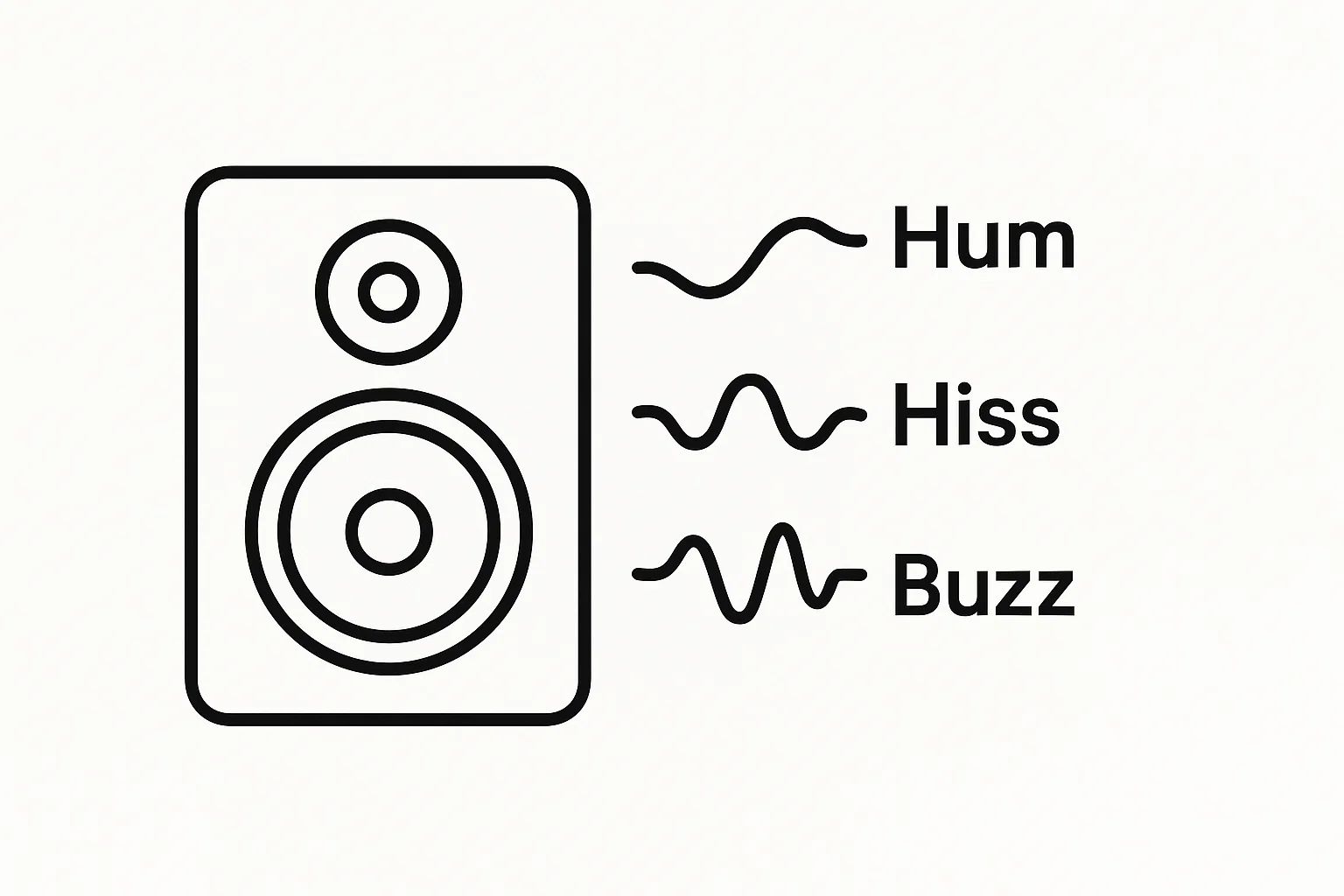
Speaker buzzing is any unwanted audible hum, hiss, or vibration noise coming from your speakers when they should be silent or playing clean audio. Instead of pure audio, you might hear a constant low-frequency hum, a high-pitched whine, or static-like noise. In technical terms, this buzzing is often a form of interference or distortion intruding on the audio signal kbaudio.co.uk. The sound might be faint or loud, and it can occur whether content is playing or when the system is idle. Buzzing is a symptom indicating something in your audio setup is not quite right – either electrically, mechanically, or in the signal chain.
Buzzing shouldn’t be confused with the normal sound of audio content. It’s an extraneous noise that persists regardless of what’s playing (or even when nothing is playing). Common descriptions of speaker buzzing include: a hum (often a low 50 or 60 Hz tone, like the sound of a refrigerator), a buzz or whine (sometimes higher-pitched), or crackling/distortion during loud passages. All these fall under “buzzing” in a broad sense. This noise not only hinders your listening experience, but in some cases it could indicate an underlying issue that needs attention.
In summary, speaker buzzing is an audio nuisance – a sign that some form of interference, grounding problem, or hardware issue is affecting your sound system. Fortunately, by understanding the types and causes of buzzing, you can locate the source of the problem and fix it.
Common Types of Speaker Buzzing

Not all buzzes are the same. Several distinct issues can cause speakers to buzz or hum. Here are the common types of speaker buzzing you might encounter in a home setup:
Ground Loop Hum (Electrical Hum):
A steady low-frequency hum (around 50 Hz or 60 Hz, often with a buzzing undertone) usually caused by a ground loop in your system audiosciencereview.com. Ground loop hum occurs when audio components are plugged into different AC outlets that don’t share a common ground, creating a looped path for current. This is one of the most common causes of home speaker hum kbaudio.co.uk. It often sounds like a constant background drone, independent of volume setting.
Electromagnetic Interference Noise:
Buzzing or crackling caused by electromagnetic interference (EMI) from nearby electrical devices or poor cable routing. For example, unshielded or cheap audio cables running alongside power cords can pick up mains electricity noise, resulting in an audible buzz or hiss kbaudio.co.uk. Placing speakers or wires too close to devices like Wi-Fi routers, microwave ovens, cordless phones, or fluorescent lights can inject interference into the audio signal. This type of buzzing might change or go away as you move cables or devices around.
Loose or Unconnected Cable Buzz:
A buzzing or humming that happens when an audio cable is connected to an amplifier or speaker but not plugged into a source. Essentially, the open end of the cable acts like an antenna and pulls in noise kbaudio.co.uk. This often occurs in wired systems if you have an input cable plugged into your speaker or receiver with no device on the other end. The result is a loud hum or buzz until the cable is removed or properly connected.
Low-Quality or Damaged Cables/Connections:
Buzzing can come from faulty connections or poor-quality cables. Cheap or damaged cables may not shield the signal well and can introduce noise kbaudio.co.uk. Similarly, a loose speaker wire, a partially plugged connector, or corrosion on connectors can cause a buzzing or crackling sound whenever the connection vibrates or if the cable is moved. This type of buzz often fluctuates (gets better or worse) when you jiggle the cable or connector.
Speaker or Amplifier Hardware Issues:
Sometimes the buzzing isn’t about external interference at all, but due to hardware faults or damage. A blown speaker driver (for instance, a torn cone or damaged voice coil) can buzz or rattle, especially at certain frequencies or volumes soundcore.com. Likewise, problems in the amplifier or receiver (aging components like capacitors, or a failing power supply) can inject noise into the output signal soundcore.com. This kind of buzzing might be accompanied by distortion in the audio. If one speaker buzzes and not the other, or if the noise persists even with nothing else connected, hardware issues could be the culprit.
Bluetooth/Wireless Interference or Hiss:
In wireless speaker systems (Bluetooth or Wi-Fi speakers), you might encounter a different kind of buzzing or hiss. A slight hiss heard from a Bluetooth speaker (especially when no music is playing) can be due to the device’s internal amplifier noise floor or wireless circuitry – this can be normal for some units (not uncommon in many Bluetooth speakers) forums.tomsguide.com forums.tomsguide.com. However, louder buzzing or choppy noise on wireless speakers could indicate wireless interference or a weak signal. If the speaker is too far from the source or there’s a lot of wireless traffic, you might hear buzzing, drop-outs, or static. Wireless interference buzz tends to fluctuate or go away when you move the speaker or source device closer together or remove obstacles.
Overloaded Audio (Volume-Induced Buzzing):
Playing sound at very high volume can cause a form of buzzing or distortion. When a speaker is driven beyond its capacity, the diaphragm can vibrate beyond its range, leading to a buzzing or crackling sound soundcore.com. This is essentially distortion, but many people describe it as a “buzz” or “fuzzy” sound on peaks. Overdriving an amplifier into clipping can similarly produce a buzzing/static noise. This type of buzz occurs mainly at high volume levels and disappears when you lower the volume.
By identifying which of these buzzing types you’re experiencing, you’ll have a big clue about the underlying cause. Next, we’ll look at the main causes in detail and how to diagnose them.
Main Causes and Diagnostics
Now that we know the common types of speaker buzzing, let’s explore why they happen and how you can diagnose the cause in your setup. Often, the quickest way to pinpoint the issue is through systematic troubleshooting. Below, we discuss major causes of buzzing in home speakers (both wired and wireless) and some diagnostic steps for each.
Diagram: Example of a ground loop causing speaker hum. Two devices plugged into different outlets create multiple ground paths (loop), resulting in unwanted current and a 50/60 Hz hum in the speakers audioholics.com audiosciencereview.com.
Ground Loop Issues:
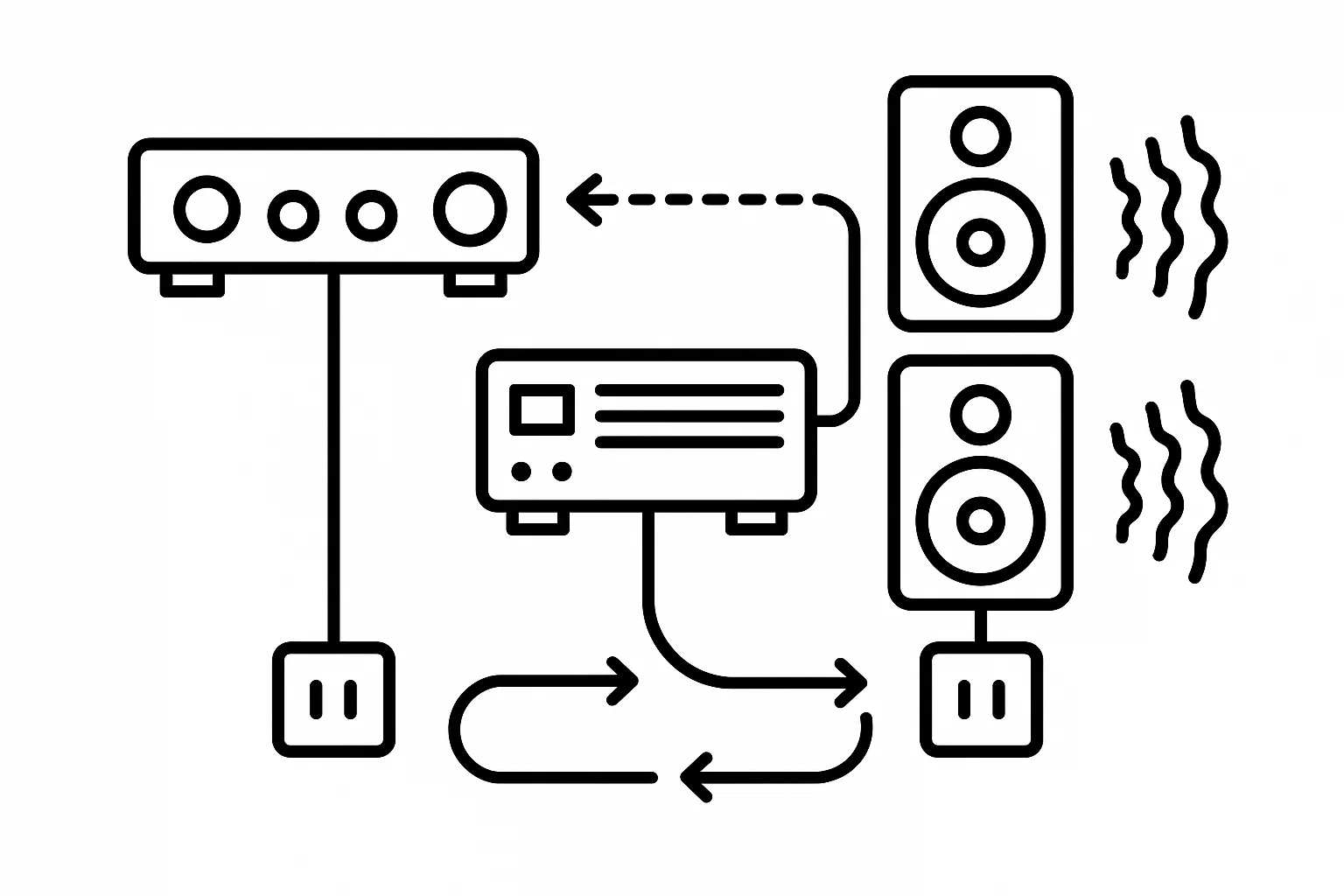
A ground loop happens when your components are grounded at different points, causing small electrical currents to flow through your audio cables. This commonly occurs in wired setups connecting multiple devices (like a TV and an amplifier) plugged into different wall outlets kbaudio.co.uk. The telltale sign is a constant low-frequency hum present even when no audio is playing. Diagnostics: To confirm a ground loop, try unplugging one source device at a time from the amplifier/receiver (or disconnect their cables). For example, disconnect all inputs so that only the amplifier and speakers are connected – if the hum stops, then it was being introduced via one of the source connections kbaudio.co.uk. You can then narrow it down by plugging sources back in one by one until the hum returns. If you suspect a ground loop, also check if all your devices are plugged into different outlets; ground loops often disappear if devices share a common power outlet (more on that in fixes). Ground loops do not typically affect Bluetooth speakers running on battery, since they are not tied to the house ground.
Electrical Interference:
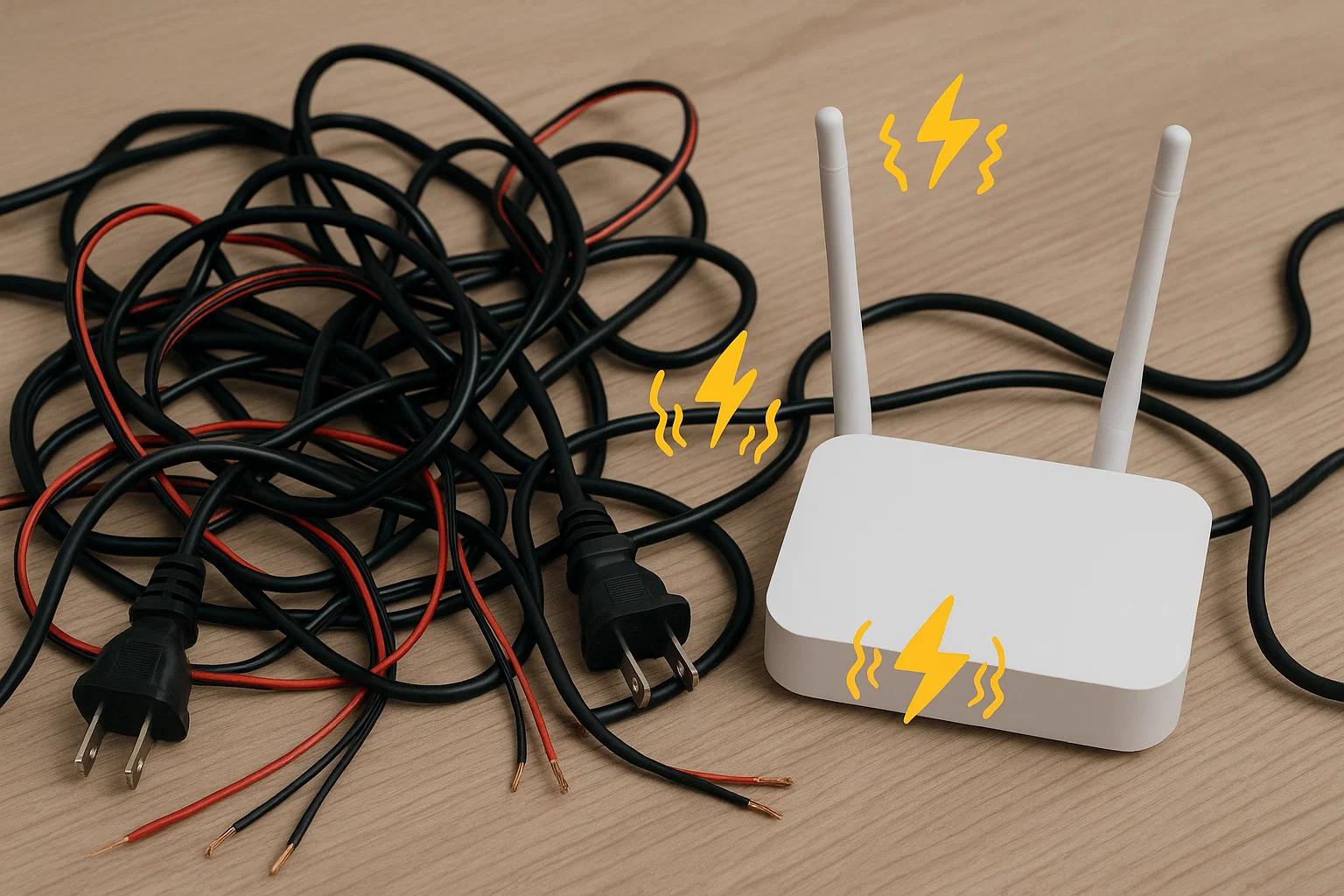
If the buzzing changes or goes away depending on equipment placement, it may be interference. Electromagnetic interference (EMI) can be introduced when audio cables run too close to power cables or other electronics kbaudio.co.uk. Diagnostics: Listen for a buzz that coincides with certain actions – for instance, does the buzz start when a particular lamp, appliance, or Wi-Fi router is on? Try moving your speaker cables so they are not bundled with power cords, and temporarily turn off nearby electronic devices one at a time. If the buzzing reduces when you turn off a device (like a fluorescent light or a fan with a motor), that device might be injecting noise into your audio path. For wireless speakers, if you notice interference, check if it occurs when using microwave ovens, cordless phones, or if it correlates with heavy Wi-Fi usage (since Bluetooth shares the 2.4 GHz band).
Concept: Electromagnetic interference can induce buzzing in audio. Unshielded speaker cables running alongside AC power lines can pick up noise, causing an audible buzz or hum in the speakers kbaudio.co.uk. Keeping signal cables away from power cables and other electronics helps prevent this.
Cables and Connections:

Many buzzing problems come down to cable issues – either cables that are plugged in incorrectly, left unconnected, or simply low-quality or damaged. Diagnostics: First, ensure every cable is firmly plugged in. A loose 3.5mm jack or RCA plug can create a buzzing or humming until it’s seated properly. If you have any cable connected to an input with no source on the other end (like an AUX cable dangling from a receiver), unplug it from the receiver/amplifier – this alone can eliminate a loud hum kbaudio.co.uk. Inspect your cables for damage (frayed wires, kinks, or broken shielding). If possible, swap out suspect cables with a known good cable to see if the buzz goes away. Also consider cable length and quality: very long runs of analog audio cable (over ~10 meters) or cheap, unshielded cables are more susceptible to noise kbaudio.co.uk. If your speaker cables or interconnects are very thin or budget-grade, upgrading to well-shielded, higher quality cables can reduce interference noise kbaudio.co.uk.
Audio Source or Amplifier Problems:
Sometimes the noise is introduced before the signal even reaches the speakers. A faulty source device or amplifier can cause buzzing. For example, a TV or PC with a noisy analog output could pass hum to the speakers, or an amplifier with a bad ground or aging components might generate noise. Diagnostics: To identify this, change the audio source. If the speakers buzz when connected to Source A, but not when connected to Source B (or when using Bluetooth input, if they have one), the issue likely lies with Source A. Similarly, test the speakers on a different amplifier or try a different pair of speakers on your amp. If the buzz stays with the same amplifier regardless of which speakers are attached, the amp might be the issue. Pay attention to whether the buzz varies with the volume knob: a ground loop hum often stays constant even if volume is turned down, since it’s coming from the external connection, whereas some amplifier-induced noise might increase with volume or appear only at certain settings audiosciencereview.com. For powered speakers (with built-in amps), if you hear the buzz even with no inputs connected, the internal amplifier could be at fault.
Speaker Damage or Mechanical Vibrations:
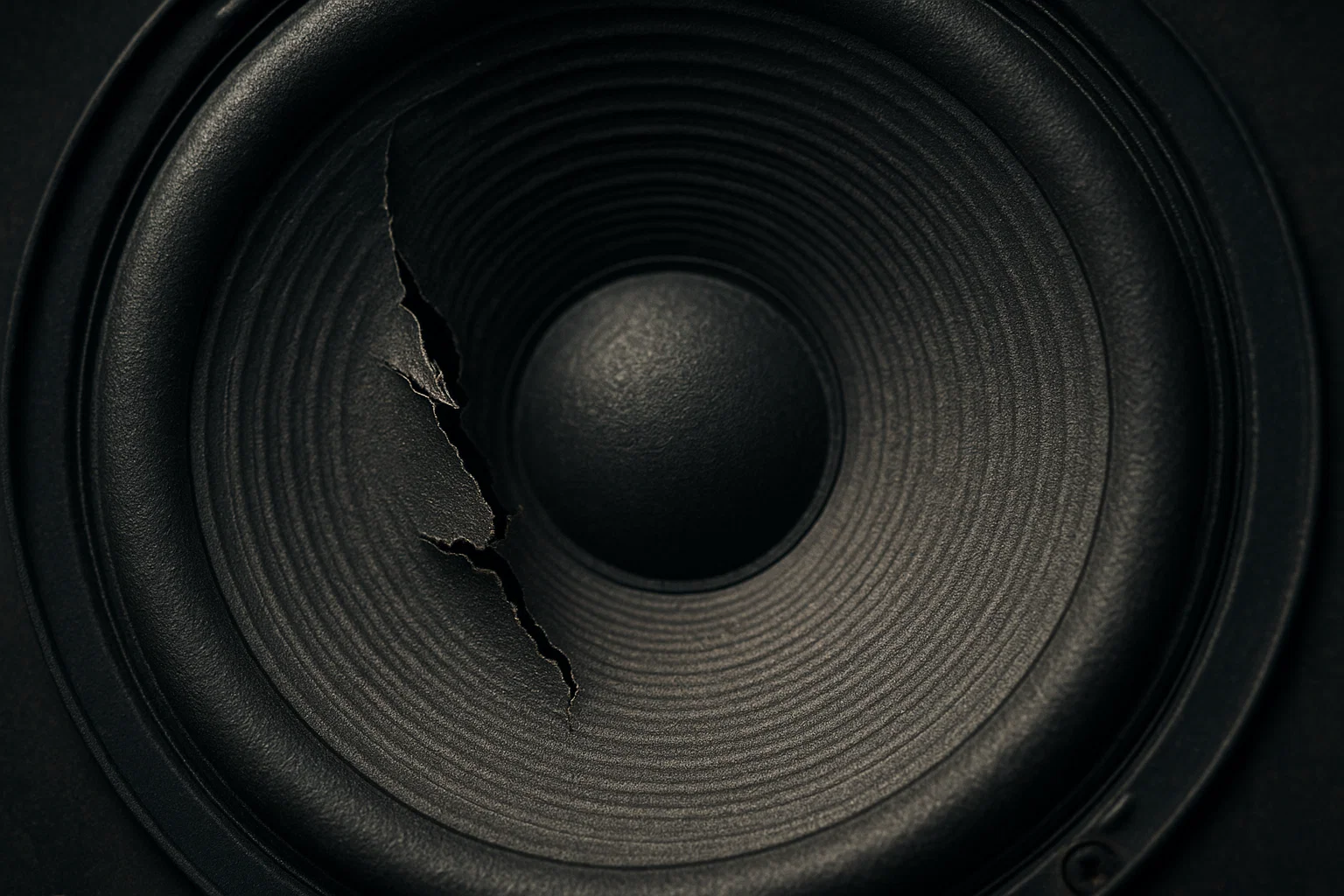
If only one speaker of a pair is buzzing, or the noise sounds like a rattling/vibrating component, you may have a blown or damaged speaker driver. A torn speaker cone or degraded surround can buzz when the speaker plays certain frequencies. Or a loose part (like a screw or a loose panel in the speaker cabinet) can resonate and buzz. Diagnostics: Play a frequency sweep or some bass-heavy music at moderate volume and listen closely to each speaker. If you hear a buzzy distortion from one speaker that the other doesn’t produce, inspect that speaker for physical damage. Gently press on the driver cone (with power off); if it scratches or feels off-center, the voice coil could be damaged. Also, ensure the speaker is on a stable surface – sometimes what we think is “speaker buzz” is actually an object on a shelf vibrating when the speaker plays! Tighten any loose mounting screws on the speaker driver or cabinet. If the buzzing persists only in that speaker and across different sources, it’s likely a speaker issue.
Wireless Signal Issues (Bluetooth/Wi-Fi):
-
For wireless speakers, diagnosing a buzz involves checking the connection quality. A constant hiss at idle may be normal, but popping or intermittent buzzing could mean a poor wireless link. Diagnostics: Bring your source device (phone, tablet, etc.) closer to the speaker and remove any barriers to see if the noise reduces forums.tomsguide.com forums.tomsguide.com. Try streaming different content or from a different device; if only one device causes static (say, your laptop’s Bluetooth vs. your phone), the issue might be with that source device’s Bluetooth transmitter. You can also test if it’s truly a wireless issue by using a wired connection (if the speaker has an auxiliary input) – if the buzz disappears when wired, it points to the wireless connection as the culprit. Also, note if the buzzing happens only when the speaker is charging (some wireless speakers exhibit a hum when plugged into power due to the power supply). If so, using a better power adapter or keeping it on battery might help.
To help summarize the cause diagnostics, the table below matches common buzzing symptoms to their likely causes:
| Buzzing Symptom or Scenario | Likely Cause | How to Confirm (Diagnostic Tips) |
|---|---|---|
| Low, steady hum even with volume down or no input | Ground loop (electrical hum) | Unplug or power off connected source devices one by one. Hum stops when a particular connection is removed, indicating that device’s ground connection was causing a loop. Also try powering all gear from one outlet (temporary test) – if hum reduces, it’s likely a ground loop. |
| Buzzing only when an input cable is plugged in but no source playing | Open or unterminated input picking up noise | Disconnect any unused audio cables from the amplifier or speaker. If the buzzing immediately stops upon removal, the cable was acting as an antenna. Solution is to unplug or turn off unused inputs. |
| Buzz changes when moving wires or devices; worse near certain electronics | Electromagnetic interference (EMI) | Separate and reroute cables away from power cords. Temporarily turn off nearby devices (Wi-Fi router, TV, fluorescent lights, etc.). If the noise fades when a device is off or cables are moved, interference is the cause. Keeping speakers and cables a few feet away from other electronics can confirm this. |
| Crackling or “fuzzy” buzz only at high volume levels or on deep bass | Overloaded speaker or amp (distortion) | Lower the volume and see if the buzz disappears. Try the same speakers on a higher-powered amp if possible. If pushing the volume always triggers the buzz, the speakers or amp are being overdriven. The cure is to avoid maxing out volume or use more robust equipment. |
| Hiss or soft static from a Bluetooth speaker, even when idle (no music) | Wireless noise floor or design quirk; mild interference | This can be normal for some wireless speakers. To test, pause audio and move the source device closer. If it’s just a low hiss that doesn’t change, it’s likely the speaker’s inherent background noise. If the hiss turns to louder buzz when a device is far, then interference/weak signal is the issue – moving closer or eliminating other wireless signals will confirm this. |
| Buzzing persists in one speaker only, even after swapping cables or sources | Speaker hardware issue (damaged driver or crossover) | Connect the suspect speaker to a different output/channel. If it still buzzes by itself, the speaker likely has an internal fault. Physical inspection for tears or loose parts can confirm damage. Alternatively, use a multimeter to check the speaker’s impedance – a significantly off reading or scratchy sound when pushing the cone indicates a bad driver. |
Use the scenarios above to zero in on the cause of your buzzing. Once you’ve identified (or at least narrowed down) the culprit, you can proceed to the fixes.
How to Fix Buzzing Speakers (Step-by-Step)

Armed with the knowledge of what causes speaker buzzing, you can now apply targeted fixes. In many cases, you can eliminate the buzzing with some simple adjustments or inexpensive add-ons. Below are practical step-by-step solutions to fix each type of buzzing. Follow these steps in order, and stop when the buzzing resolves (no need to do steps that aren’t relevant to your situation):
Check All Connections and Cables.
Start by inspecting your setup’s basics. Ensure every cable is fully inserted into its jack or terminal – loose or partially plugged cables can cause hum or crackle soundcore.com soundcore.com. Tighten speaker wire clamps and make sure RCA or 3.5mm plugs click firmly into place. Next, examine cables for damage: replace any frayed or kinked wires, as faulty cables often introduce buzzing soundcore.com. If you have extra wires connected to inputs that aren’t currently in use (for example, an aux cable connected to your receiver but not to a phone), disconnect those to prevent them from acting like antennas kbaudio.co.uk. Simply cleaning and securing your connections can effectively eliminate many humming sounds in speakers soundcore.com.
Eliminate Ground Loop Hum.
If you suspect a ground loop (the telltale continuous hum), the goal is to ensure all interconnected devices share a common ground reference. The easiest fix is to plug all your audio components into the same power outlet (using a quality power strip or surge protector) kbaudio.co.uk. By giving your TV, amplifier, turntable, etc., the same ground, you remove the loop causing the hum. This isn’t always physically possible, but it’s a good test – if the hum stops when everything is on one outlet, you’ve confirmed a ground loop issue. For a more permanent solution or if one-outlet power is unfeasible, use a ground loop isolator device on the audio cable between the devices soundcore.com. A ground loop isolator is an inline transformer that breaks the ground connection while allowing the audio signal to pass, thereby blocking the hum current kbaudio.co.uk kbaudio.co.uk. They are inexpensive and simply plug into your RCA or 3.5mm audio line – no cutting wires or complex setup. (Safety note: While some older advice suggests removing ground pins from plugs, this is not recommended for safety. Use an isolator or proper grounding methods instead.) If your ground loop involves a cable TV line (a very common cause of household hum through a receiver), you can attach a cable TV ground isolator to the coaxial cable. Lastly, ensure any powered subwoofers or other grounded devices are on the same circuit if possible. With these steps, most ground loop hums can be silenced.
Separate and Shield Cables to Reduce Interference.
To fix buzzing caused by electrical interference (EMI/RFI), reorganize your wiring and environment. Keep low-voltage audio cables away from high-voltage power cables – never bundle your speaker wires or RCA cables together with extension cords or AC power adapters kbaudio.co.uk. If they must cross, try to cross them at a 90-degree angle rather than running parallel. Use shielded cables for analog connections; if you determined that a cheap cable was picking up noise, upgrade it to a better shielded one kbaudio.co.uk. Also, move your speakers a bit if they’re right next to devices like routers or fluorescent lamps. Even moving a speaker a foot away can reduce electromagnetic coupling soundcore.com. Ferrite choke filters (small clamp-on ferrite rings) can be added to cables to absorb high-frequency interference in some cases. If you still notice interference at certain times, pay attention to household devices: for example, a dimmer light switch or a refrigerator’s compressor might be injecting noise into the power line that you hear in speakers. A power line conditioner or simply plugging the audio gear into a different outlet (on a different circuit) can sometimes help in those situations. The key is to create clean separation between your audio signal path and sources of interference.
Repair or Replace Faulty Components.
If after addressing the above you still hear buzzing, you might have a faulty component or cable that needs replacement. Start with the simplest: swap in a different cable for the one connecting your source to the amp (or amp to speakers) to rule out a bad cable. If you identified that one specific source device (like a PC’s analog output or a turntable) is injecting hum, that device may need a fix – for instance, a turntable might need a proper ground wire connected to your amplifier’s ground terminal. Check that all grounding wires are properly attached on devices that have them. For amplifiers or receivers, a persistent buzz heard even with no inputs could indicate an internal issue (aging filter capacitors in the power supply, for example). In that case, professional repair might be needed, but before that, double-check that audio settings are not misconfigured – e.g., if you have a phono input selected with no turntable connected, it will buzz loudly; ensure you’ve selected the correct input source to avoid “phantom” noise soundcore.com. If a speaker driver is blown or physically damaged, there is unfortunately no quick fix in most cases – you would need to have the driver repaired/reconed or replace the speaker unit entirely. As a diagnostic, you can gently press the woofer of a silent speaker; if you feel or hear scratching, the voice coil is likely damaged and causing noise. Replacing defective components (be it a cable, a driver, or a problematic source) can eliminate the buzzing at its root.
Optimize Bluetooth or Wireless Connections.
For wireless speakers that buzz or hiss, focus on improving the signal and reducing interference. Keep the source device close to the speaker – within the same room and ideally within a few meters, with a clear line of sight if possible forums.tomsguide.com. Remove or turn off potential 2.4 GHz interference sources when using the speaker (for example, pause heavy Wi-Fi streaming on other devices if you suspect Wi-Fi interference). If you hear choppy buzzing, try re-pairing the Bluetooth connection: turn off the speaker and the Bluetooth on your phone/computer, then turn both back on and reconnect forums.tomsguide.com. Sometimes a fresh handshake clears up noise. Ensure the wireless speaker is fully charged or, if it’s using a power adapter, test it on battery – a failing power adapter can introduce hum. Many Bluetooth speakers also have a factory reset function (check the manual) forums.tomsguide.com. Performing a reset can clear any internal glitches that might cause noise. If the problem persists only with one source (e.g., your laptop causes buzz but your phone doesn’t), update the Bluetooth drivers on that device or use a different audio codec if possible. In summary, treat wireless buzzing by strengthening the connection (closer range, re-pairing) and minimizing interference (avoid congested wireless environments).
Adjust Volume and Settings (Avoid Overdrive).
If your speakers buzz or distort at high volumes, the solution is straightforward: don’t push them beyond their limits. Keep the volume at or below a level where the sound stays clear. You might need to adjust both the source and amplifier volume – for instance, if a source is outputting a very hot signal that causes the amp to clip, lower the source volume. Most consumer-grade speakers are not built to handle maximum volume without some distortion soundcore.com. If you find yourself needing more volume than the system can cleanly provide, consider upgrading to more powerful speakers or adding an amplifier with greater headroom. Also check tone controls or EQ: excessively boosting bass can make small speakers buzz or bottom out. Set tone controls to neutral as a test and see if the buzzing subsides. Ultimately, operating your equipment within its comfortable limits will prevent the buzzing that comes from overdriving.
By following these steps, you should be able to eliminate the vast majority of speaker buzzing issues. Many users find that just securing a loose cable or putting all equipment on one power strip fixes the problem instantly. In other cases, a small investment in a ground loop isolator or better cables pays off with silent, clean audio. The key is addressing the specific cause – once the cause is removed, the annoying buzz will be gone, and you can get back to enjoying your music or movies with confidence.
When to Replace or Call a Professional
Most speaker buzzing problems can be fixed with the DIY steps above, but there are times when you may need professional help or a hardware upgrade:
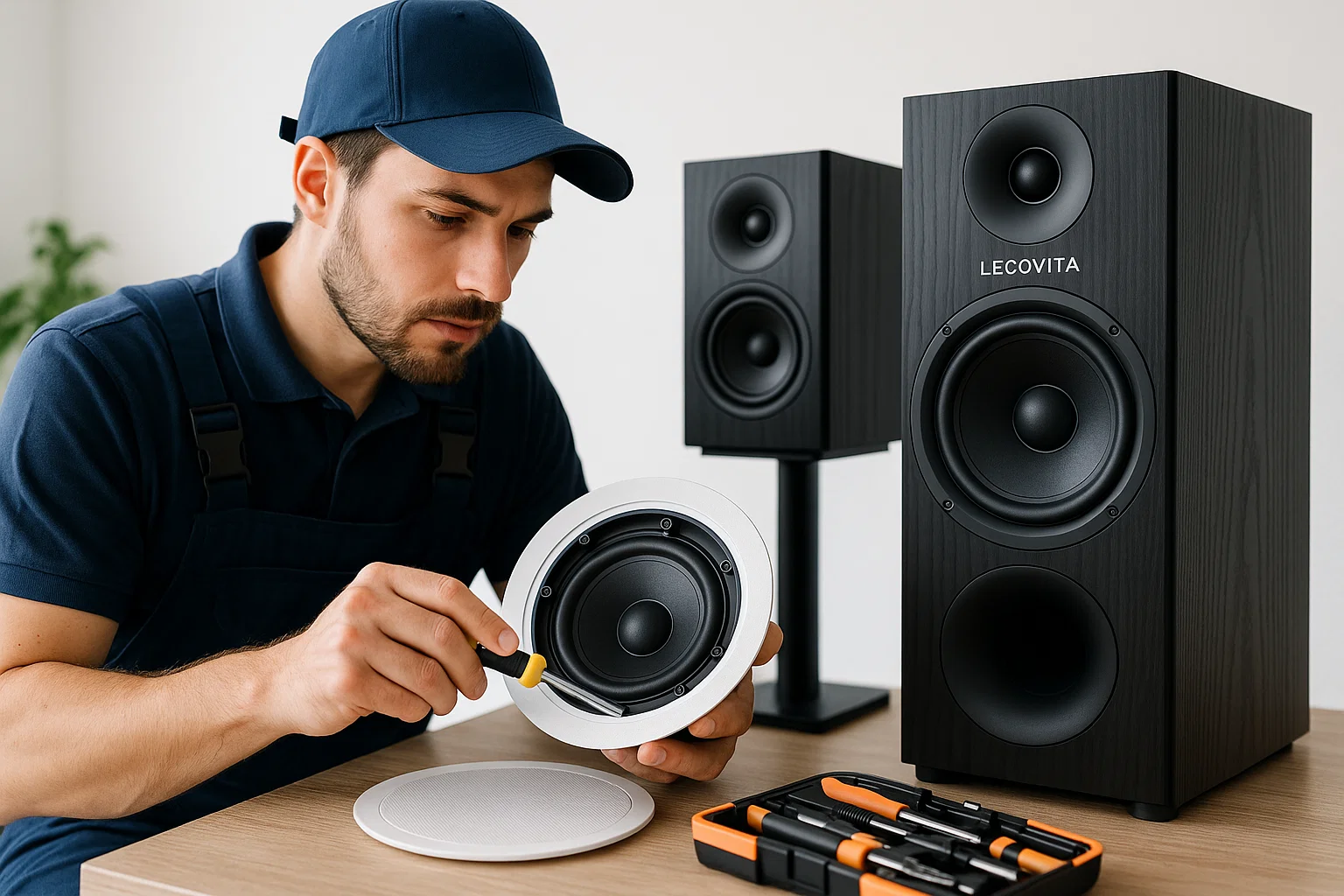
Internal Component Failure:
If you’ve tried all the common fixes and the buzzing persists, the issue might be an internal failure (for example, a faulty amplifier circuit, bad capacitors, or a damaged speaker cone that cannot be easily repaired). In powered speakers or receivers, a technician can diagnose issues like a failing power supply or ground fault inside the unit. If you notice a burning smell or the unit has other malfunctions along with the buzz, unplug it and seek professional repair.
Blown Speakers:
No amount of cable-wiggling will fix a speaker with a blown driver. If one of your speakers is blown (buzzes or rattles due to physical damage), you’ll need to replace the driver or the entire speaker. Tweeters that hiss or woofers that buzz might have to be replaced. If the speakers are under warranty or a service plan, contact the manufacturer. Otherwise, an audio repair shop can sometimes recone or replace drivers.
Persistent Ground Noise:
Occasionally, the humming could be related to your home’s electrical wiring (for instance, improper grounding in the house, or issues with the outlet itself). If you suspect a house wiring issue – e.g., you get a shock from audio connectors or the hum is present in multiple setups around the home – you should consult a professional electrician to check your grounding and wiring. Safety comes first when dealing with electrical issues.
When DIY Isn’t Enough:
If all the troubleshooting is overwhelming or you simply prefer not to tinker further, it’s perfectly fine to call an audio professional. A professional installer or audio technician can use tools like multimeters and oscilloscopes to pinpoint ground loops or interference quickly, and they can implement solutions neatly (like ground lifts, proper cable management, or installing isolators in a hidden way). This might be worthwhile especially for complex home theater systems with many components.
Upgrading to Better Equipment:
Sometimes the best fix for buzzing is to upgrade to higher-quality equipment. Cheaper electronics and speakers are more prone to hum and interference kbaudio.co.uk. High-end gear often includes better shielding, filtering, and overall design to minimize noise. For example, professionally engineered speakers and amplifiers from companies like LECOVITA are built with quality components and expert design, which means they naturally have lower noise and are less likely to buzz lecovita.com. If your old speakers or amp constantly hum and nothing fixes it, it might be time to invest in a new system rather than chase the problem endlessly. A new, well-designed set of speakers can provide not only buzz-free sound but also an upgrade in audio quality.
Consulting the Manufacturer:
If your speakers are from a reputable brand and still under warranty, reach out to the manufacturer’s customer support. They might be aware of specific issues (for instance, a known grounding issue in a particular model) and can offer a fix or replacement. Even outside of warranty, manufacturers sometimes have repair services or can guide you to authorized service centers.
Remember, safety is critical. If any fix involves electrical work beyond plugging and unplugging (like altering house wiring or opening up an amplifier), and you’re not experienced, calling a professional is the wise choice. Also, balance the cost of repair vs. replacement – if your five-year-old budget speakers hum and a repair costs nearly as much as new speakers, upgrading to a modern set (perhaps something from a quality supplier like LECOVITA that focuses on home audio excellence) may give you a better long-term result.
In summary, know when to DIY and when to defer to experts. After all, the goal is to enjoy clear and immersive sound. If that means a new piece of equipment or a professional tune-up, it can be worth it to solve the buzzing once and for all.
FAQ
How can I tell if a speaker is blown or just buzzing from interference?
Troubleshooting a bad speaker vs. interference involves a few steps. First, listen carefully: a blown or damaged speaker often produces distortion or buzzing only from that speaker, and it may get worse at higher volumes or certain frequencies (you might also hear rattling if the cone is torn). Interference or hum, on the other hand, typically comes through all speakers in a system or is not isolated to one channel. To test a speaker, play audio through another speaker or pair of headphones on the same source – if the noise only happens on one speaker, that speaker might be faulty. Also inspect the speaker for physical damage (a tear, dent, or debris in the cone). You can also swap the speakers between left/right channels; if the buzz moves to the other side, it’s likely not the speaker itself but something upstream (cables or source). Using different sources or cables can further pinpoint the issue soundcore.com. In technical terms, you could measure the speaker’s impedance with a multimeter – a healthy speaker driver will show a steady resistance (e.g., ~4–8 ohms); a blown driver might show an open circuit or a very off reading. In short: unusual sounds, physical driver damage, and elimination testing with different sources are good ways to tell if the speaker itself is bad soundcore.com.
Why do my speakers hum when no music is playing? Is a little hum or hiss normal?
A very faint hiss or hum can be normal, especially for powered speakers or amplifiers. This is often the device’s noise floor – the internal electronics produce a slight background noise when powered on. However, a loud hum when nothing is playing is not normal and usually indicates a problem like a ground loop or an open input. If your speakers hum even with the volume at zero and no source playing, you likely have a ground loop or other interference kbaudio.co.uk. Try unplugging all inputs; if the hum stops, it was coming through one of the input connections (ground loop or noise from a source). If the hum persists even with only the speakers and amp on and nothing else connected, it could be electrical interference or a fault in the amp kbaudio.co.uk. Also note: some powered monitors or receivers have a slight transformer hum you can hear if you put your ear close – that’s a physical vibration from the power transformer and is usually benign (though if it’s audible from your listening position, that’s a problem). Wireless/Bluetooth speakers often emit a low hiss when idle – this is somewhat normal for many models forums.tomsguide.com. But if the noise is loud enough to be annoying from a distance, you should troubleshoot it. In summary, a barely perceptible hiss/hum isn’t unusual, but a clearly audible buzz/hum in idle speakers should be addressed by checking grounding and interference sources.
What exactly is a ground loop and how do I fix ground loop hum?
A ground loop is an electrical phenomenon that occurs when two or more pieces of equipment are connected by both audio cables and the electrical ground (earth) in different outlets, creating a loop. Because the grounds are at slightly different electrical potentials, a small current can flow through the audio cable’s ground connection – this introduces a 50/60 Hz hum into the audio signal audioholics.com. It’s a common cause of that maddening hum in home theaters and Hi-Fi setups kbaudio.co.uk. To fix a ground loop hum, you have two main approaches: eliminate the loop or isolate it. Eliminating it might mean plugging all interconnected devices into the same power strip/outlet so they share a single ground (converting the system to a single-point ground) audioholics.com. If that’s not possible, the next solution is to insert a ground loop isolator in the audio path kbaudio.co.uk. The isolator (essentially an audio transformer) allows the audio signal to pass but breaks the direct ground connection, stopping the current loop and thus the hum audioholics.com. Other fixes include using balanced audio connections or an isolation transformer on your cable TV line if that is the source. The simplest and often most cost-effective fix for consumers is indeed a plug-in ground loop isolator on the affected line kbaudio.co.uk audioholics.com. It’s an easy solution that doesn’t require modifying your electrical system. So, identify which connection is causing the loop (common culprits are PC to amplifier connections, or TV to receiver connections), then isolate that link. Once the loop is broken, the hum vanishes.
Why do my speakers crackle or buzz at high volume?
If your speakers crackle, buzz, or distort at high volume, it’s usually a sign that something is being pushed past its limit. This could be the speakers themselves reaching their power/volume capacity, or the amplifier clipping because it can’t provide a clean signal at that volume. Essentially, the audio waveform is getting distorted, and you hear that as a buzzing or crackling instead of clear sound soundcore.com. To prevent this, avoid driving the volume to the maximum on both your source and amp simultaneously – try to keep some headroom. Ensure that your amplifier’s wattage is adequately matched to or higher than your speakers’ rating; an underpowered amp driven to clipping can actually cause more distortion (and even damage) than a powerful amp at moderate level. Loose connections can also cause crackling at high volumes due to vibration – so double-check your speaker wires and jacks if the crackle coincides with heavy bass hits. In any case, consistently crackling at high volume is a warning sign – dial it back to avoid damaging your system. If the issue persists even at moderate volume, then there may be a fault in the speaker or amp that a professional should check out soundcore.com.
Can using high-quality equipment really prevent buzzing?
Quality equipment can greatly reduce the risk of buzzing issues. High-end or professionally engineered audio devices use better components, designs, and isolation techniques to minimize hum and noise. For example, good amplifiers have well-designed grounding schemes and filtering to avoid ground loops and power supply hum. High-quality cables have better shielding to block interference kbaudio.co.uk. Speakers from reputable manufacturers undergo rigorous testing to ensure they don’t introduce buzzes or rattles and that their internal amplifiers (for powered speakers) are low-noise. Brands like LECOVITA, which specialize in customized, high-fidelity audio solutions, build their products with precision and quality control lecovita.com. This means that out of the box, a quality speaker system will have a very low noise floor (so you won’t hear hiss) and robust connections (less chance of hum). That said, even the best gear can buzz if set up improperly (e.g. anyone can create a ground loop hum if they connect things wrong). But investing in quality often gives you features like balanced inputs, ground lifts, or better shielding that make your system more immune to common household interference. So while you can’t promise that expensive gear will never buzz, it does mean you’re far less likely to encounter issues – and if you do, those products often come with support or guidance to resolve it. In short, yes, high-quality equipment, such as the systems provided by professional manufacturers like LECOVITA, can preempt many causes of buzzing through superior design and expertise built into the product.
